I am writing this project in my spare time, just like all my other hobby gamedev. If you want the highest performance, it’s best not to use any ECS. I love ECS because it allows you to systematize and separate/parallelize logic/data, move each part of the game into its own system, customize its operation, and generalize logic for entities with different components. moecs only has the basics and doesn’t yet have many of the features found in others (hierarchy, relationships, prefabs, events, etc.). As for speed, it will vary on different computers. You can play around with main.odin , and see the benchmarks (I use this code for testing). I’d be interested in seeing your results. Feel free to open a request if you have any suggestions or bug reports. I’d be happy to discuss it.
Thanks for sharing. This is very interesting indeed. I’m a mega noob at gamedev, but always willing to jump in head first on things. Question and some stats from default moecs for you.
I’m setting up project for mouniverse so I can attempt to build it on Linux. Maybe I’m blind, but could not find a direct source reference to Odin-SQLite3. I found flysand7/odin-sqlite3 searching the webs. Is that the correct library?
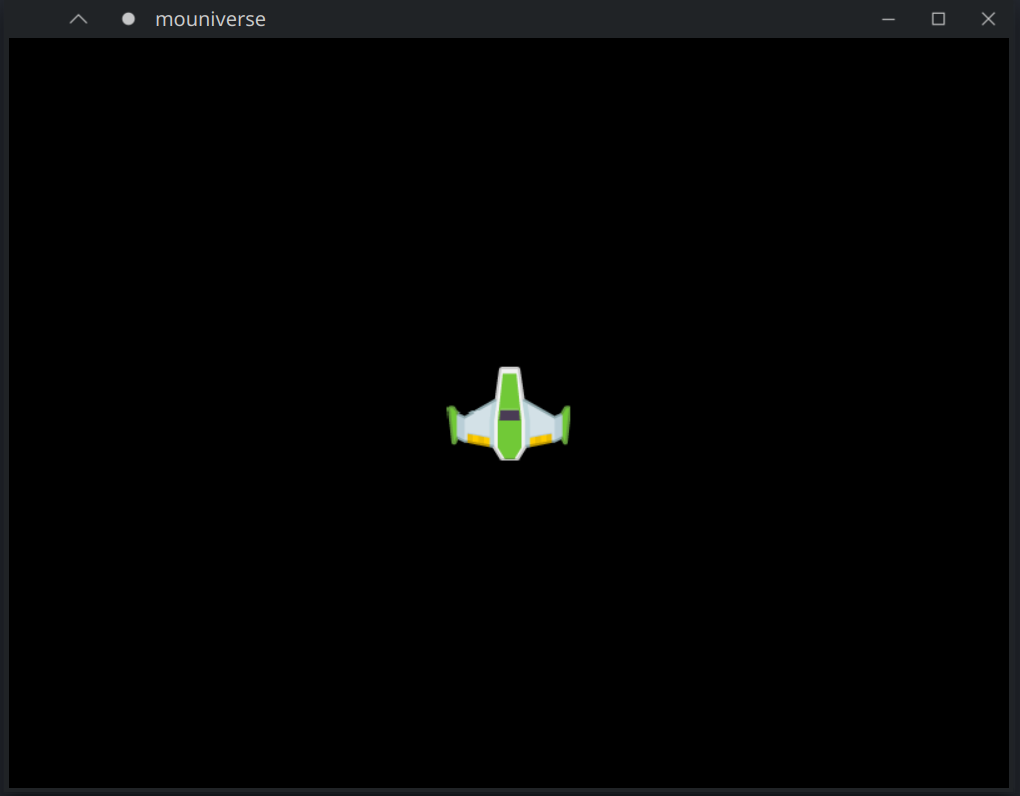
Edit: I got it to build, but seems it’s not happy with my audio. It runs, but all I get is the spaceship and can fly around. No other objects seen so far. Plus, if it matters, the gamepad it recognizes does not seem to do anything.
Debug: New gamepad Nintendo Co., Ltd. Pro Controller
Debug:  device_path -> '/dev/input/event9'
Debug:  has_buttons-> 'true'
Debug:  has_analogue_axes-> 'true'
Debug:  has_vibration-> 'true'
Debug:  has_relative_movement-> 'false'
Debug: Init audio backend alsa
ALSA lib pcm_dmix.c:1000:(snd_pcm_dmix_open) unable to open slave
Error: pcm_open failed for 'default': No such file or directory
Debug: Shutdown audio backend alsa
Yes, tried full-screen. I did once see a flash of some asteroids that went off screen when I first started it. Then nothing but lonely, cold, space. I was wondering about assets. I just guessed at what odin-sqlite3 library to use. Did I get the correct one that I linked above? I also likely have a different directory structure than you, so wondering if assets are not found and then just ignored, or should I see errors if they are not found?
Also could not exit game without closing window. My ESC is mapped to CAPS for when using Helix, maybe that’s it. I saw on your page that maybe it’s not implemented yet?
Update: I think I see some symptoms that may help shed light. If I start the game, and not move the ship at all and expand the window, I see asteroids in all 4 corners. The second I try to move, the ship goes zooming way off. Rotating is also really fast and hard to control. Once I’ve moved from starting point, It’s impossible to get back. In addition, when the game starts, it seems it’s zoomed in more than is intended. I tried zooming out, but zoom limit is already maxed.
From a very layman’s view, I’m guessing there’s some scaling of geometry and movement speed that is somehow different when running on my system versus Windows.
Is this how big the ship should be with maxed zoom out and default window size?
I apologize for such short answers yesterday, I wasn’t at computer any more.
I have set up everything in Arch Linux VM and compiled game there.
All works, but it very slow because VM stuck.
I have pushed executable to bin folder, so if you can run it on your linux, you can try.
When I set up Odin and cloned all repositories I tried to build it.
And Odin asked to rebuild stb and box2d vendor libs.
I think you can try to update to latest Odin and rebuild box2d by running %odin_directory%/vendor/box2d/build_box2d.sh
Problem seems to be in box2d, because you can see all sprites till start moving (using box2d forces). If it was sqlite numbers parsing problem you’d even didn’t see your sprite with all others at same screen.
If textures can’t be loaded you will have console log errors.
Maybe you have some different system locale, I do not know what it change but ho knows…
I can also try to setup your linux distributive on VM and build. But, hell, it should be possible to build by others…
Also I have changed project structure and edited readme, so you can simply clone all repos into one folder and project should compile (as you did, so you need change nothing after pull it).
Yep, sorry, you may expect something playable and finished. But… I have built this game prototype for learning, started with Rust version (mocosmos), then completed C version (mospace) and finally Odin one. I also have map editor for it built with C (moeditor).
BTW you can try to clone mospace (C version) and try to build to see is it problem with Odin or not.
I programming gamedev in my spare time for learning and get out from burnout at regular job. So no promising for something great…
Also I am missing UI for Odin and karl2d lib to continue and think about building something or wait for something appear :). Then I will continue this game.
Thank you for testing moecs at your machine, I have these results on mine:
About zooming I can’t say something helpful, I have tried change screen resolution in Windows but have no problems with movement and speed of entities…
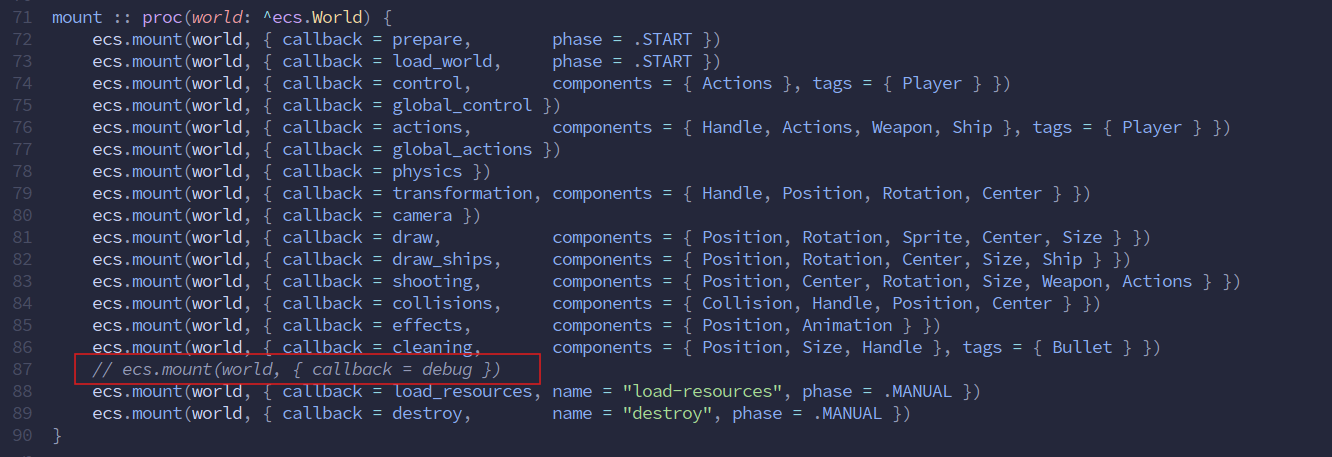
Also do you see green rectangles around sprites when enable debug system here:
Took me a while, but I just did a fresh install of Windows 11 Pro. Everything compiles and works the same it did with the same code I pulled a few days ago. It might have been I didn’t know what to expect and was not sure what to report. Now after playing with it a bunch, I’m certain there are no technical issues in the project. I also felt that it was relatively easy to get up and running even if I did use a slightly different directory structure. Only updated import statements and compiled the third party libraries on my own, no problems there.
At this point, just need to put some polish on the physics a little to make the controls more controllable.
I want to add ability to run systems in threads.
Group them and run each group in separate thread with some interval. It can be used for example to clear dead entities or bullets that fly out the screen.
But I have not found any documentation about how threads and sync between works in Odin.
Have you looked at examples. It has thread and nbio. Though not sure how up to date the nbio examples are considering Odin just had a major update on that this month.
Update: This is the latest on nbio I could find. It links to examples in the first link I gave, so those look to be up to date Likely added prior to the latest Odin release.
Thank you. I have just looked video with @gingerBill about async IO, it is not my case. I have enough with threads. And nbio is about IO operations.
Examples will be enough, thank you.
That project was very easy to setup. The structure works very good so far. I ran into a few minor issues.
On Windows.
There was no \odin-sqlite3\bindings\bin\sqlite3.lib file. Running the build-clang-windows.bat produced errors because the slashes are wrong. Switch from “/” to “\” and sqlite3.lib built fine.
Building with “odin build . -out:mouniverse.exe -o:aggressive” only produced a mouniverse.obj file. Changing it to “odin build . -o:aggressive -out:mouniverse.exe” produces mouniverse.exe. Not sure if that’s intended behavior or an Odin bug.
This may have been my fault. I built in default powershell terminal, which I thought I had setup to use as a dev shell. When I switched to the “Developer PowerShell for VS 18” terminal created by VSCode Installer and built it using the original command, it worked. Not sure why, but my best guess is my default terminal must be running as 32bit instead of 64bit.