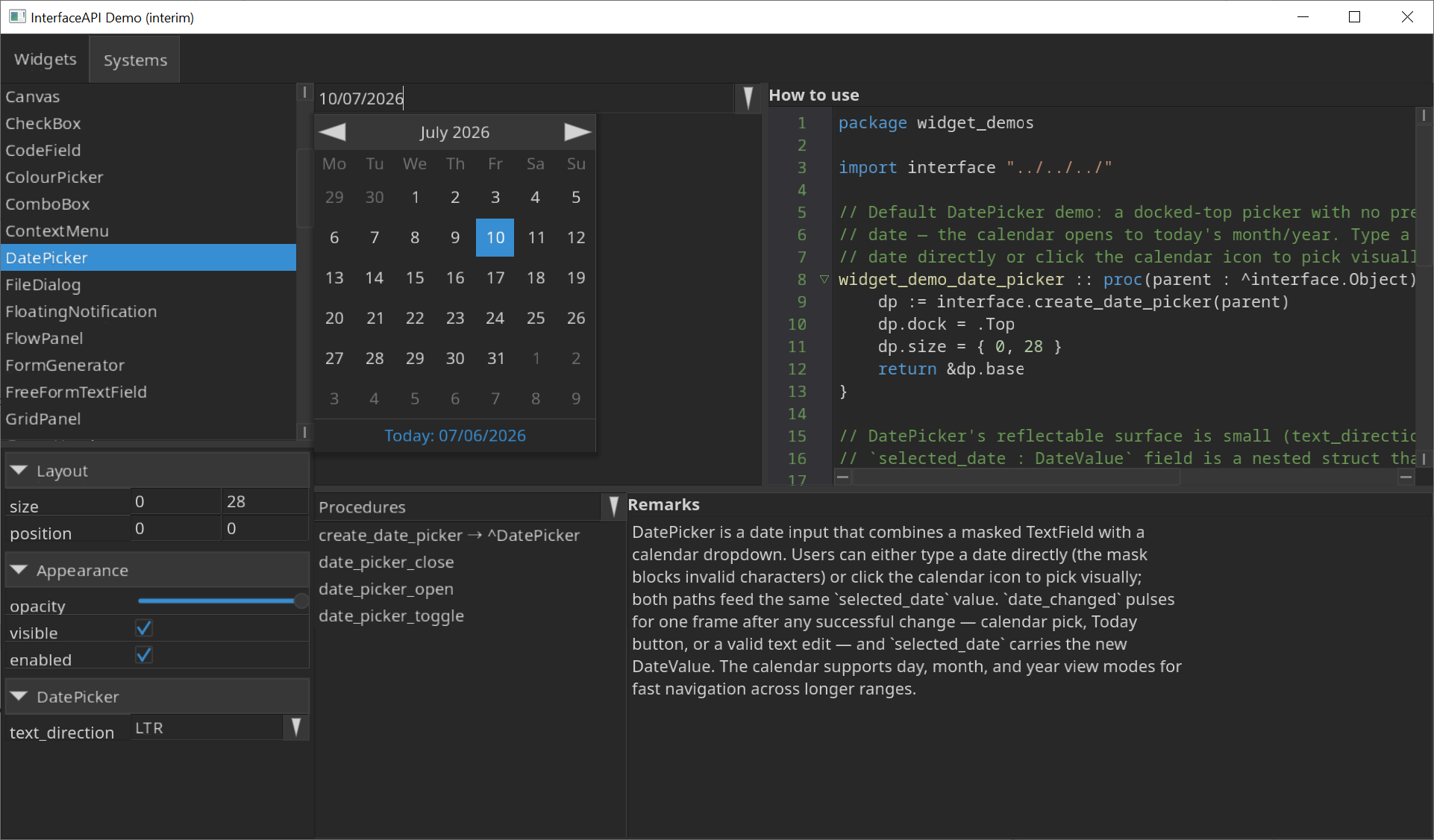
Hello there. I briefly mentioned this on Discord some while ago but would also like to post here. I would like to introduce my (albeit AI-assisted) InterfaceAPI project here.
It is a user interface framework (in case you didn’t guess by the name) that contains lots of different features that I myself intend to use for my own projects, mostly data-heavy or business-oriented software since that’s my domain.
A small number of features (and growing):
- Over 40+ widgets including basic controls, list views, tree views, node panels, timelines, barcodes, video player (WIP), and more.
- Different container types for different layout styles: dock engine, flow engine (flex-style), grid engine.
- Built-in IME support, bidirectional text rendering, right-to-left, etc.
- Custom Object design in the form of command lists
- SDF-shader primitive drawing by default
- Font families with fallback chains for automatic mixed language support
- And more…
This MIT licensed codebase can be found on Codeberg with tutorials under the docs directory and a working demo (see screenshots below) in the test directory.
Check out the following sample code as an introduction to the kind of code you would be introduced to if you decided to pick this up:
package main

import "base:runtime"
import interface "shared:InterfaceAPI"

main :: proc() {
    options := interface.create_default_launch_options("Test App", 1600, 900)
    app := interface.create_app(options)

    interface.app_init_window(app)
    defer interface.app_close_window(app)

    app->set_font_family("Noto Sans", { "NotoSansRegular.ttf" }, 24, 400)
    app->set_font_family("Noto Mono", { "NotoSansMono.ttf" }, 24, 400)

    app.font = "Noto Sans"
    app.mono_font = "Noto Mono"
    app.font_size = 24
    app.font_weight = 400

    dark_theme := interface.create_default_dark_theme()
    interface.register_theme("Dark Theme", .Dark, &dark_theme)

    light_theme := interface.create_default_theme()
    interface.register_theme("Light Theme", .Light, &light_theme)

    interface.app_init_framework(app)
    defer interface.app_dispose_framework(app)

    root := interface.create_panel(&app.base)
    root.dock = .Fill

    menu_bar := interface.create_menu_bar(root)
    menu_bar.dock = .Top

    tools_menu := interface.create_menu("Tools", menu_bar)
    light_theme_option := interface.create_option("Light Theme", nil, tools_menu)
    dark_theme_option := interface.create_option("Dark Theme", nil, tools_menu)

    for app.__running {
        interface.app_update(app)

        if light_theme_option.is_clicked {
            app->set_theme(light_theme)
        }
        if dark_theme_option.is_clicked {
            app->set_theme(dark_theme)
        }

        interface.app_render(app)
    }
}
For a full introduction, see my itch.io page.
Screenshots
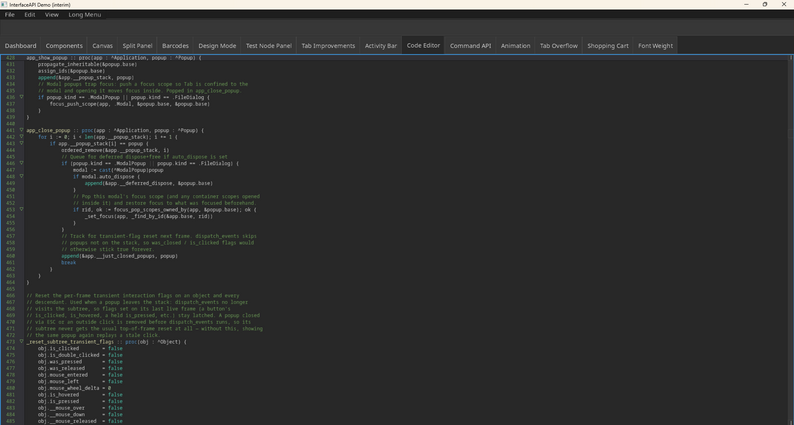
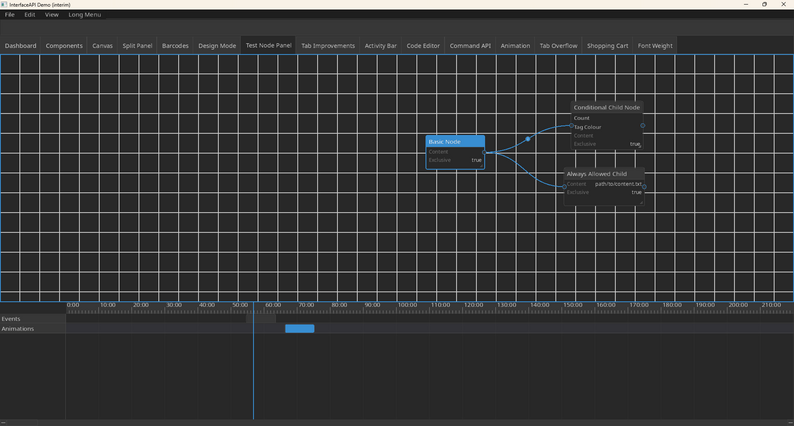
I will now explain my use of AI and why I decided to use it, as I am well aware of the scepticism and controversy around using it.
TL;DR I suck at programming anything useful. I’m only really good at UI design and that’s about it.
Most people get poor experiences with AI and get sceptical when software that “appears” good quality but doesn’t live up to expectations. Trust me, I feel you. I wouldn’t have chosen to use AI if I had the knowledge and the experience I needed to build something like this. However, I don’t have the years nor the knowledge required to build something as large as this, so I have used AI extensively in the building of this project.
Much of the AI results have been relatively poor in the beginning, but various refactors have made this project something I would personally now use in production and the best way to test that is to make my own software with it.
Some AI stories while designing and generating this project:
- In the beginning, all widgets had a callback based event handling system via the
->method-like signature. This got replaced with boolean flags when I decided I didn’t like the callback approach. - FFMPEG was originally put in place for video rendering, but I asked for an alternative and now the following is being implemented (ongoing); OpenH264, dav1d, custom containers, minimp3 and a WIP AAC-LC decoder
- There used to be an XML engine - that was scrapped in favour of just having a better way of constructing objects and applying them to parent objects.
- There used to be Lua scripting for the XML engine - also removed as it was no longer needed.
- CodeField and TextField has been reiterated multiple times. As you can imagine, AI has a hard time optimising performance for text editing, but with my fairly good understanding of how these should be structured, I have been able to iterate up to a well optimised caching system (textures + rendered line caching + layout per line).
There are possibly other stories to share, but most people probably don’t care.
Questions on my use of AI
Some people will invariably argue against my use of AI for multiple reasons and I suspect the many questions I expect will be one or more of the following.
Doesn’t AI defeat the point of learning how to solve these problems you want to learn?
Yes, and I’m not interested in learning the complicated stuff. UI isn’t exactly the most difficult thing to understand. Some things, like text rendering, is indeed very difficult to master, if not one of the most difficult things to master. There’s a reason I ship InterfaceAPI with FreeType and Harfbuzz, and various other third party libraries. I’m not interested in learning solutions that have been mostly solved by other people. Some people are okay with that, and that’s fine, but for my personal learning experience, the deep engineering problems are not something I’m capable of solving.
Why bother using AI at all if you know what the reception will be?
Because I don’t care. I realise this is ironic since I’m going on a tangent, so I must care, right? Well, yes, I care about getting the facts straight with people and I want to be honest and upfront about my use of AI, I think that’s an important policy and one that results in better trust compared with the companies that let their users find out without disclosing it.
What do you enjoy about programming if you’re going to let AI do it all for you anyway?
Here’s where the answer is not an easy answer. I enjoy programming. I’ve been at it for 20 years self-taught on and off. So, what’s the problem? The problem is my ability to focus on one project at a time. I have honestly been too ambitious for various reasons, thinking about the company I wanted to own and the software I wanted to make. I wanted it to be my livelihood. The problem is that over time my frustrations increased as I couldn’t settle for a programming language, environment or toolkit I enjoyed using. Odin + Raylib struck the chord, but too little too late. It’s only been two years since picking up Odin and it’s not easy to say to myself: “You can build anything” while at the same time we’re edging closer, politically and economically, to an “end of the world scenario,” where all of this will just end up being waste of time. I try to focus on what I want to do as much as I can, but what can you do when life obligations catch up with you and the time you have spare doesn’t give you the time you want to build something you really want to make.
But whatever. I rant too much. Thank you for reading up to this point if you made it this far.