Most of what I do involves outputting to the terminal. Over the years I’ve used ANSI frequently to colorize my output. Even though I’m very familiar with ANSI, I still found that I was always needing to reference the codes and the correct order of things. Then of course came the debugging of fat fingered sequences, etc.
So I’ve done several versions of procedures that will do the ANSI for me, but I was still never satisfied. I’d still have to remember what I named the procedures, and ultimately found myself just wishing that the standard print procedures would support some kind of shorthand functionality for ANSI.
Well, I finally created such a thing. afmt mirrors many of the print procedures in fmt. The ones that are currently supported work exactly the same as expected if no ANSI format is provided. If an ANSI format definition is provided, it is intercepted, applied, and then passed on to the corresponding print procedure in fmt.
afmt is designed to be used as a collection. Place an “afmt” folder inside your collection folder or use the default collection folder “…/odin/shared”. Then place afmt.odin in that folder. Also Place the “examples” folder inside “afmt” folder, and then place “examples.odin” inside that folder.
To use the collection, it can be imported with:
import "shared:afmt"
// or
import "YourCollectionFolderName:afmt"
https://github.com/OnlyXuul/afmt
// change "odin/shared" to location of your collection folder
cd odin/shared
git clone https://github.com/OnlyXuul/afmt.git
cd afmt/examples
odin run .
Supported procedures:
- print, println, printf, printfln
- tprint, tprintln, tprintf, tprintfln
- aprint, aprintln, aprintf, aprintfln
- bprint, bprintln, bprintf, bprintfln
- sbprint, sbprintln, sbprintf, sbprintfln
- ctprint, ctprintf, ctprintfln (ctprintln not in fmt, so it’s currently excluded)
- caprint, caprintf, caprintfln (caprintln not in fmt, so it’s currently excluded)
I provide an examples.odin file which details the usage. The following is found at the beginning of that file:
	//	All print procedures in afmt work the same as their respective fmt version when not using ANSI.
	//	If using ANSI, then the ANSI format is the first arg of the ..args variatic parameter for each procedure. i.e. arg[0]
	//	Then the remaining args are passed to the appropriate procedure. i.e. ..args[1:]
	//	There are two ways to define an ANSI format.
	//		1. Using ANSI_Format struct, which has 4 variants. ANSI_3Bit, ANSI_4Bit, ANSI_8Bit, and ANSI_24Bit.
	//		2. Using a single string:
	//			ANSI_4Bit  -> "-f[blue] -b[black] -a[bold, underline]"
	//			ANSI_8Bit  -> "-f[255] -b[50] -a[bold, underline]"
	//			ANSI_24Bit -> "-f[200, 220, 250] -b[0, 0, 0] -a[bold, underline]"
	//
	//	Rules:
	//		- Cannot combine color types between foreground and background in the same ANSI format definition.
	//			i.e. cannot do "-f[blue] -b[0, 0, 0]". This combines 4bit with 24bit.
	//		- Attributes are independant of foreground and background colors and will be applied even if color definitions are invalid.
	//		- Not all fields must be set. Fields not set are ignored, and the terminal will use it's default.
	//
	//	Notes: If you are using a terminal with a custom theme defined when using 3bit, or 4bit, the colors will be converted by your terminal
	//	to the theme's version of those colors. afmt has no control over this. To over-ride themes, use either 8bit or 24bit colors.
	//	afmt applies standard ANSI sequences. The accuracy of output depends on your terminal's support. If an ANSI sequence is not
	//	supported, the terminal should ignore it.
If there is a desire for it, support for panicf, ensuref, and assertf, could easily be added.
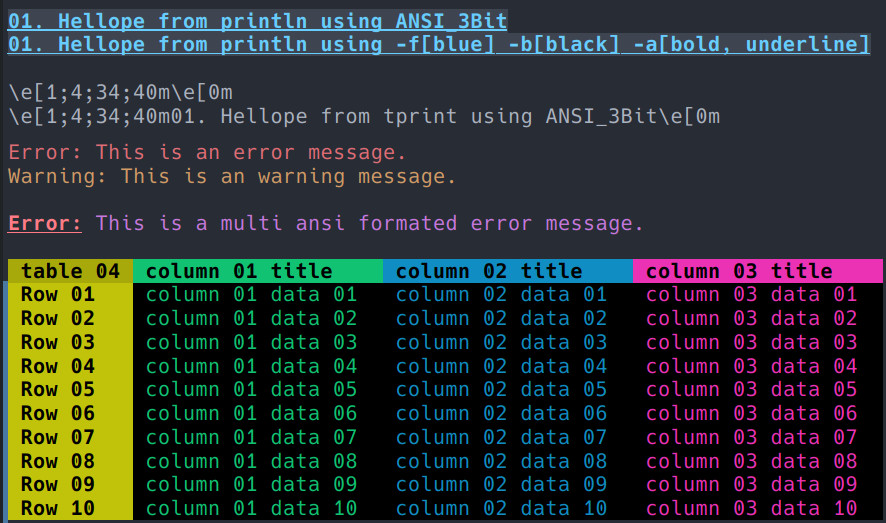
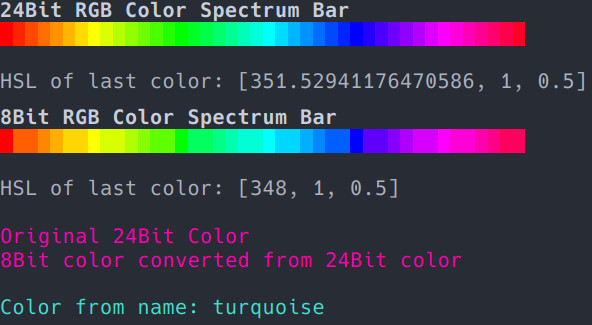
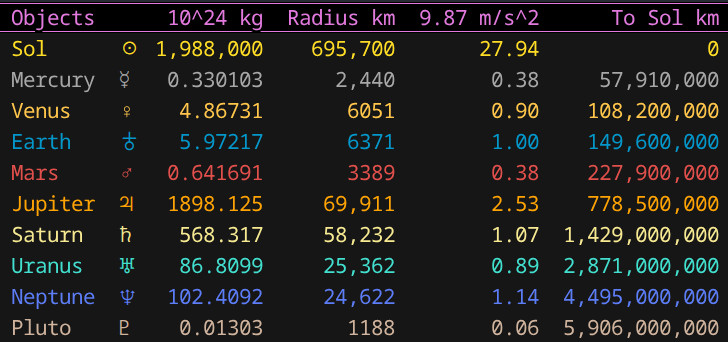
A screenshot from examples.odin

 . I’ve been down those enough times.